
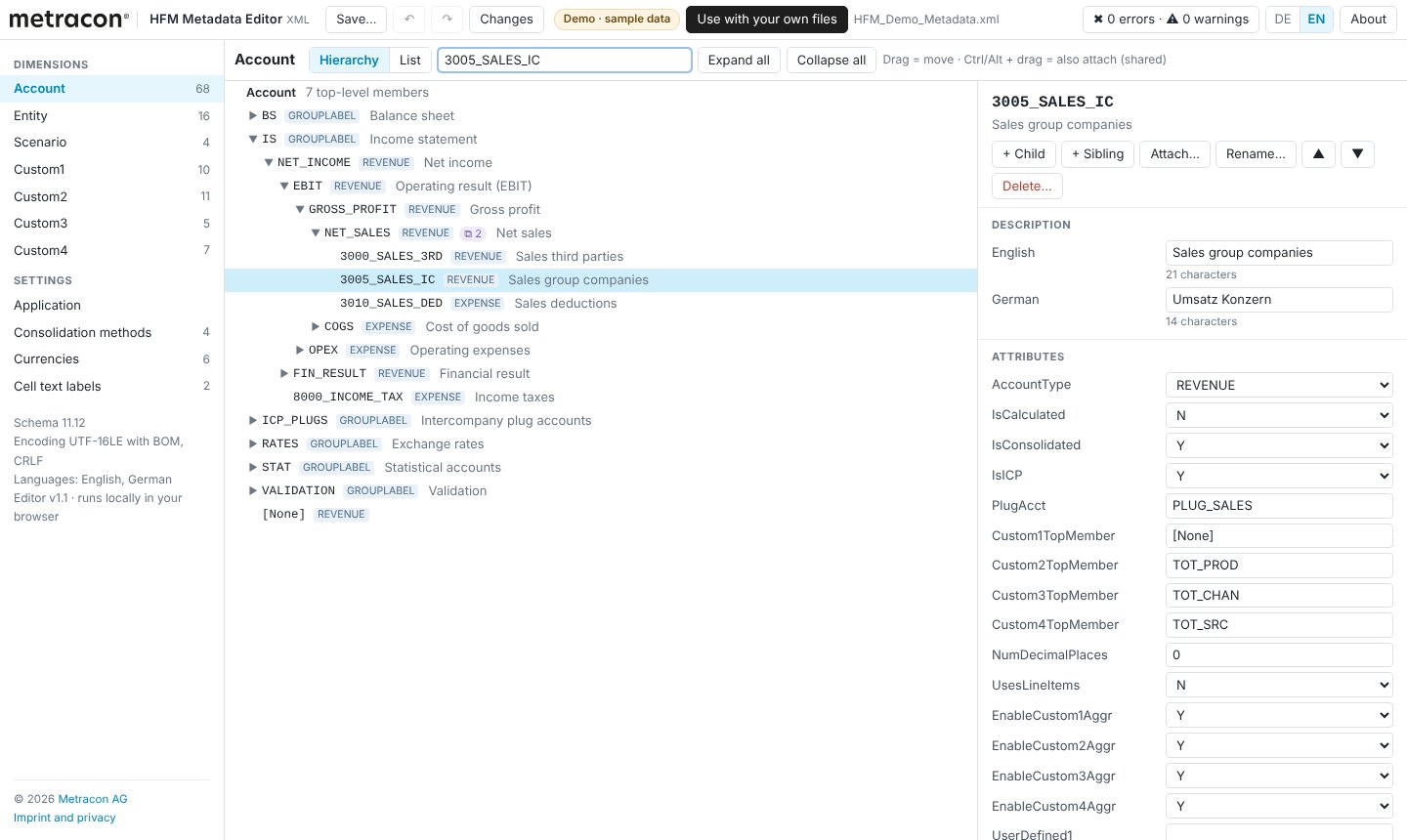
The replacement for the former HFM desktop client: edit and validate Oracle® Hyperion Financial Management metadata extracts right in your browser – nothing to install, no outdated components.
Open an extract from HFM, edit, validate and save it in the original format – ready for the metadata load.

Tree view with search, drag & drop, shared members, member order, AggrWeight and DefaultParent.

All members with all attributes in one table – filter, sort, edit inline and set values for many members at once.

Invalid labels, circular references, missing parents, invalid attribute values and broken references are shown immediately.

When renaming, the hierarchy, DefaultParents and references such as custom top members or PlugAcct are updated automatically.

Encoding and line endings stay as in the original; unchanged sections are kept byte for byte.

All changes compared to the original at a glance – as a text file for approval and audit.

The editor runs entirely in your browser. Your metadata is never uploaded or transmitted – not even to us.
A security policy in the page forbids the browser any network connection. You can verify this yourself: the network tab of the developer tools stays empty when opening and saving.
On request, we can also install the editor directly on your EPM web server – optionally as a tab in EPM Workspace.
The demo works with fictitious sample data. We will give you free access to the editor for your own HFM metadata – just get in touch.
Metadata extracts in XML format are supported. Oracle, Hyperion and Financial Management are trademarks of Oracle Corporation and/or its affiliates. The HFM Metadata Editor is an independent tool by Metracon AG and is not affiliated with or endorsed by Oracle. Provided without warranty.
We are happy to answer them.